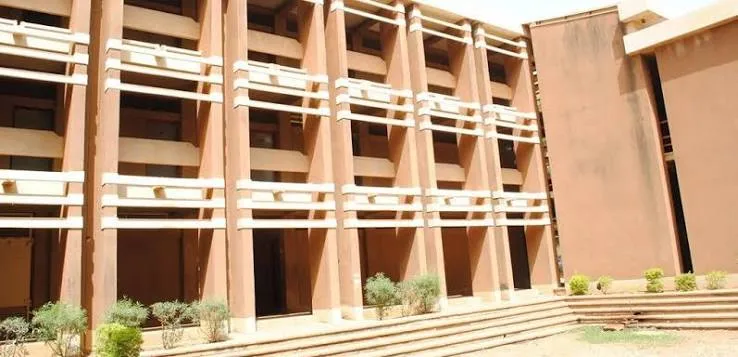
UDUSOK Admission List 2026/2027: Here is how to check your admission status on JAMB CAPS – Usmanu Danfodiyo University, Sokoto (UDUSOK) has officially commenced its admission exercise for the 2026/2027 academic session. As of 23rd August 2026, the university began offering admission to 2026 UTME candidates who selected UDUSOK as their first-choice institution on the JAMB portal, and admission offers are now reflecting on the JAMB Central Admissions Processing System (CAPS).
If you sat for the 2026 UTME and chose Usmanu Danfodiyo University, Sokoto as your first choice, this is the moment to check whether you have been offered admission. This article explains exactly how the UDUSOK admission list works for the 2026/2027 session, how to check your status, what to do once you’re admitted, and why some candidates may not yet see their names.
About Usmanu Danfodiyo University, Sokoto (UDUSOK)
Usmanu Danfodiyo University, Sokoto, commonly known as UDUSOK or UDUS, and formerly the University of Sokoto, is one of the four universities established by the Federal Government of Nigeria in September 1975.
The university began academic activities on 20th October 1977 with an initial enrolment of ninety-three undergraduate students, and it has since grown into one of the leading federal universities in northwestern Nigeria, running undergraduate, postgraduate, and Open and Distance Education (CODE) programmes across multiple faculties.
Every admission cycle, UDUSOK attracts a large volume of UTME applicants, which is why the university processes and uploads admission in stages rather than releasing every offer at once.
UDUSOK Admission 2026/2027: Current Status
| Detail | Information |
|---|---|
| Institution | Usmanu Danfodiyo University, Sokoto (UDUSOK) |
| Session | 2026/2027 Academic Session |
| Admission Process Commenced | 10th August 2026 |
| Admission Offers Began Reflecting on CAPS | 23rd August 2026 |
| Cut-Off Marks Released | 21st May 2026 |
| Eligibility | 2026 UTME candidates who chose UDUSOK as first choice |
| Checking Platform | JAMB CAPS (efacility.jamb.gov.ng) |
| Mandatory Requirement | O’Level result uploaded on JAMB CAPS |
| Official Website | udusok.edu.ng |
Is UDUSOK Admission List Out?
Yes! The Usman Danfodio University, Sokoto (UDUSOK) has begin the release of the undergraduate admission list for all successful applicants of the 2026/2027 admission cycle.
To know how you can check your status both on the JAMB CAPS portal and the UDUSOK portal, continue reading below.
How to Check the UDUSOK Admission List 2026/2027 on JAMB CAPS
Follow these steps exactly to check your admission status:
- Visit the JAMB eFacility portal at efacility.jamb.gov.ng.
- Log in with your registered email address and password to access your dashboard.
- Click on “Check Admission Status.”
- Click on “Access my CAPS.”
- Click on “Admission Status” to see if you have been offered admission into UDUSOK.
If you have been offered admission, your dashboard will display your photo along with a message congratulating you on your admission offer.
If UDUSOK has not yet processed your file, you will see a message such as “Admission Still in Progress” or “Not Admitted.” Candidates in this position are advised to keep checking regularly, as UDUSOK typically uploads admission offers in batches rather than all at once.
How to Accept or Reject Your UDUSOK Admission Offer
Once you see that you have been offered admission, you must formally respond on JAMB CAPS:
- Send ACCEPT or REJECT to 55019 or 66019 using the phone number registered on your JAMB profile.
- Alternatively, you can accept or reject your offer directly from your JAMB CAPS dashboard.
Do not ignore this step. An admission offer that is neither accepted nor rejected within the stipulated JAMB timeline can be withdrawn and reassigned to another candidate.
READ ALSO – How To Accept Admission Using 55019
Why Uploading Your O’Level Result Is Compulsory
UDUSOK management has issued a firm directive to all first-choice candidates: failure to upload your O’Level result on the JAMB CAPS portal will automatically disqualify you from consideration, regardless of your UTME score.
If your JAMB profile shows your O’Level result as “pending” or “awaiting result,” you must resolve this before UDUSOK can process your admission. Follow these steps to fix it:
- Visit any JAMB-accredited Computer-Based Test (CBT) centre near you.
- Request an O’Level result upload, and pay the applicable processing fee at the centre.
- Once uploaded, log back into your JAMB e-Facility/CAPS portal to confirm that your result now reflects correctly.
- Continue checking your admission status regularly afterward.
Candidates who registered as “Awaiting Result” (AR) during the 2026 UTME registration, along with Direct Entry (DE) applicants and anyone with previously missing credentials, should treat this step as urgent.
READ ALSO – How to Check Your Admission Status Online
UDUSOK 2026/2027 Departmental Cut-Off Marks
Before commencing the admission exercise, UDUSOK released its approved minimum admissible cut-off marks for all undergraduate programmes for the 2026/2027 session on 21st May 2026. The university has stated that admission will be strictly based on merit, institutional guidelines, and JAMB’s regulatory standards, with each department maintaining its own benchmark score.
Candidates should confirm their department’s specific cut-off mark on the official UDUSOK website before assuming their UTME score qualifies them, as benchmarks vary significantly from one programme to another (for example, Medicine and Law traditionally carry much higher cut-offs than programmes in the Faculty of Arts or Education).
What to Do After You Are Admitted Into UDUSOK
Once your admission reflects as successful on JAMB CAPS and you have accepted the offer, proceed as follows:
- Print your JAMB Admission Letter from your CAPS dashboard.
- Visit the UDUSOK admission status checker at my.udusok.edu.ng/checkadmissions.php and confirm your name also reflects on the institution’s own portal.
- Log in to the UDUSOK student portal to generate your fee payment invoice and pay your school fees online or at any designated bank.
- Proceed to your department and faculty for physical screening/verification of your credentials.
- Register for your first and second semester courses online once screening is complete.
- Watch out for the university’s matriculation date, as full CAPS compliance is typically required before matriculation.
Documents you should have ready for the screening stage include your original JAMB result slip, UDUSOK Post-UTME registration slip (where applicable), birth certificate or age declaration, certificate of local government of origin, O’Level certificate(s), and your JAMB/UDUSOK admission letter.
I See My Name on JAMB CAPS But Not on the UDUSOK Portal, What Should I Do?
This is common and does not mean there is a problem. UDUSOK typically uploads names to its own institutional portal shortly after JAMB CAPS reflects an offer, so there can be a short delay between the two.
If your JAMB CAPS dashboard shows you have been admitted, accept the offer immediately and continue checking the UDUSOK portal over the following days.
If a significant gap persists, contact the UDUSOK Admissions Office directly through the official contact channels on udusok.edu.ng.
Quick Tip for Mobile or Smartphone Users:
If you are checking your status from a phone and cannot see the “Admission Status” option clearly on CAPS, switch your browser to desktop mode. On Chrome, tap the options menu and select “Request Desktop Site”, this resolves most display issues mobile users encounter on the JAMB portal.
Beware of Fake Admission Lists and Agents
Every admission season, unofficial websites and individuals circulate fake “admission lists” or claim they can guarantee UDUSOK admission for a fee. UDUSOK’s admission process runs strictly through JAMB CAPS and the university’s own portal, there is no legitimate shortcut, and no one can influence your admission status outside the merit-based process described above.
The university itself has previously warned the public that certain third-party websites falsely presenting themselves as official UDUSOK sources do not belong to the institution. Always rely on udusok.edu.ng and efacility.jamb.gov.ng as your only authoritative sources.
Frequently Asked Questions (FAQs)
1. Is the UDUSOK admission list for 2026/2027 out?
UDUSOK has commenced offering admission for the 2026/2027 session, with offers reflecting on JAMB CAPS as of 23rd August 2026. There is no separate downloadable list, candidates check their individual status on JAMB CAPS.
2. How do I check my UDUSOK admission status?
Log in to the JAMB eFacility portal at efacility.jamb.gov.ng, click “Check Admission Status,” then “Access my CAPS,” and finally “Admission Status” to see your result.
3. Why is my UDUSOK admission status showing “Not Admitted”?
This could mean UDUSOK has not yet processed your file, your O’Level result has not been uploaded, or you did not meet your department’s cut-off mark. Keep checking regularly, as admission is uploaded in batches.
4. Is it compulsory to upload my O’Level result before I can be admitted?
Yes. UDUSOK has stated clearly that failure to upload your O’Level result on JAMB CAPS will automatically disqualify you from consideration for the 2026/2027 admission exercise.
5. How do I accept my UDUSOK admission offer?
Send ACCEPT to 55019 or 66019 using your JAMB-registered phone number, or accept the offer directly from your JAMB CAPS dashboard.
6. What is UDUSOK’s cut-off mark for 2026/2027?
UDUSOK released its approved departmental cut-off marks on 21st May 2026, and these vary by programme. Check the official UDUSOK website for your specific department’s benchmark.
7. I saw my name on JAMB CAPS but not on the UDUSOK school portal. What should I do?
This is normal, as UDUSOK’s institutional portal can take a short time to reflect offers already shown on JAMB CAPS. Accept your offer on CAPS immediately and keep checking the school portal.
8. What documents do I need after being admitted into UDUSOK?
You will need your original JAMB result slip, Post-UTME registration slip, birth certificate or age declaration, certificate of local government of origin, O’Level certificate(s), and your JAMB/UDUSOK admission letter.
9. Does UDUSOK release admission in batches?
Yes. UDUSOK typically processes and uploads admission offers in multiple batches (merit/first list, second list, third list, and sometimes a supplementary list) rather than all at once.
10. What is the difference between the UDUSOK merit list and other admission lists?
The merit list, also known as the first batch, contains candidates with the highest JAMB and departmental aggregate scores. Second, third, and supplementary lists are released afterward to fill any remaining vacancies, drawing on candidates who meet slightly adjusted criteria or who benefit from catchment area and other federal character considerations.
11. Can I still be admitted if I chose UDUSOK as my second choice?
No. For the standard UTME admission window, UDUSOK considers only candidates who selected the university as their first choice on JAMB. Candidates who chose UDUSOK as a second choice would typically need to change their institution to UDUSOK on the JAMB portal during a change-of-institution window, where available, before being considered.
12. Where can I verify official UDUSOK admission information?
The only official sources are udusok.edu.ng and the JAMB CAPS portal at efacility.jamb.gov.ng. Be cautious of unofficial websites claiming to be affiliated with the university.





Leave a Comment