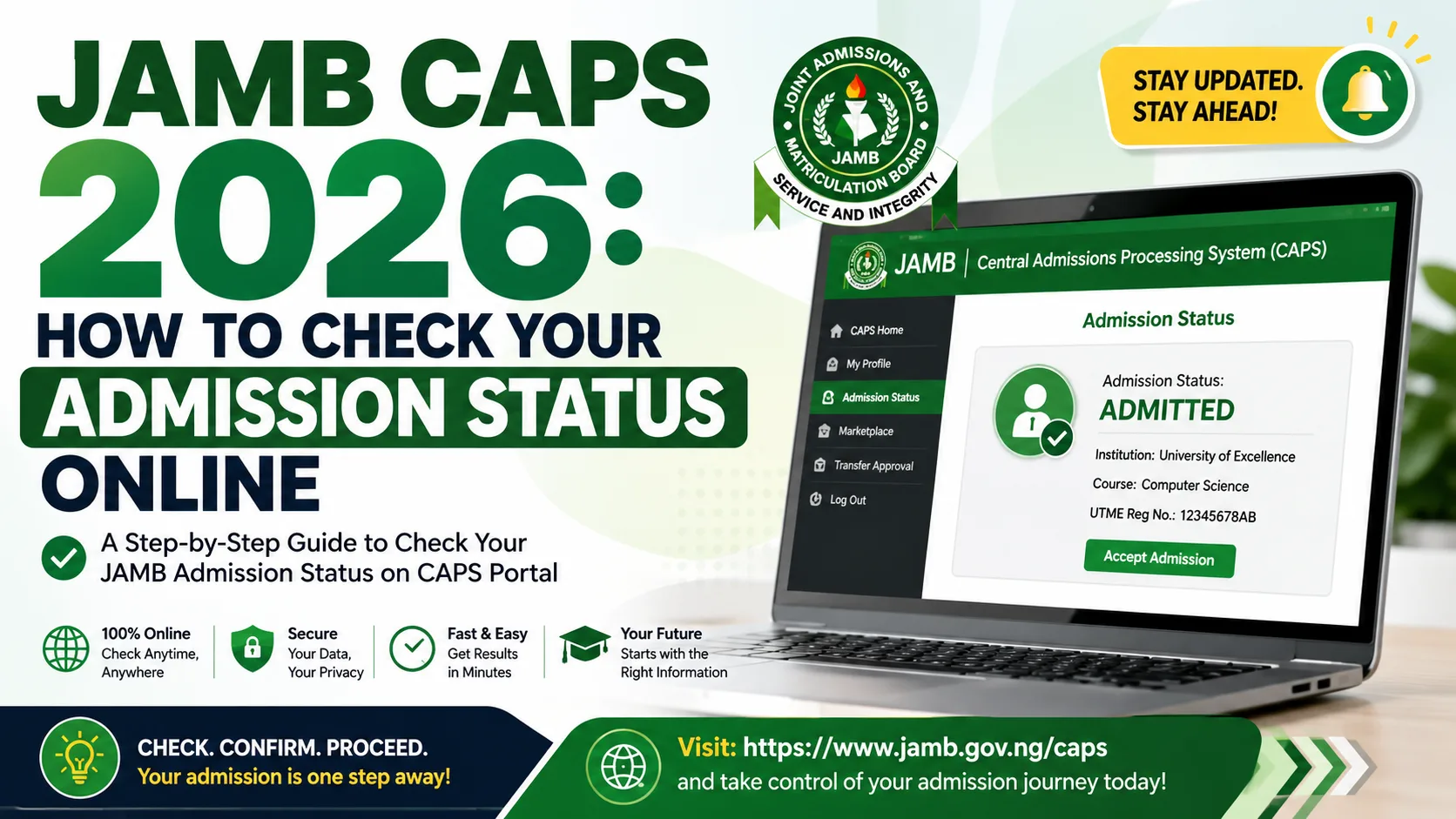
Checking your admission status on the JAMB CAPS 2026 portal is one of the most important steps every UTME candidate must take after writing the 2026 Unified Tertiary Matriculation Examination (UTME). Whether you are applying for a federal university, state university, polytechnic, or college of education, the Central Admissions Processing System (CAPS) is the official JAMB platform that holds the key to your academic future.
This comprehensive guide walks you through everything you need to know about JAMB CAPS 2026: what it is, how it works, how to check your admission status online step by step, what each admission status means, and what actions to take after checking. Read on to the end, including the FAQ section, to make sure you do not miss any crucial detail.
What Is JAMB CAPS?
JAMB CAPS stands for Central Admissions Processing System. It is the official online platform developed and managed by the Joint Admissions and Matriculation Board (JAMB) to centralise, monitor, and coordinate university admissions across Nigeria.
Before the introduction of CAPS, the admission process in Nigeria was largely decentralised and prone to irregularities. Candidates had to rely solely on individual institutions for admission information, which led to delays, double admissions, and widespread fraudulent practices. JAMB CAPS was introduced to bring transparency, accountability, and efficiency to the Nigerian tertiary admissions process.
Through CAPS, JAMB is able to:
- Track every admission offer made by institutions in real time
- Prevent a candidate from being admitted to more than one institution simultaneously
- Allow candidates to accept or reject admission offers directly online
- Enable JAMB to approve or withhold admissions based on whether candidates meet minimum entry requirements
In short, no admission is considered valid in 2026 without JAMB’s approval on CAPS. Even if an institution gives you an admission letter, it does not count unless it reflects as “Admitted” and is approved on the CAPS portal.
Why is JAMB CAPS Important for 2026 Admission?
The 2026 JAMB UTME attracted millions of candidates across Nigeria, all competing for limited spaces in federal universities, state universities, polytechnics, and colleges of education. CAPS is the single most important tool for every candidate to track where they stand in the admission race.
Here is why JAMB CAPS is critical for you in 2026:
| Reason | Details |
|---|---|
| Official Admission Confirmation | Only admissions approved on CAPS are legally recognised by JAMB and the federal government. |
| Real-Time Status Updates | CAPS is updated regularly as institutions upload admission lists, giving candidates near-instant information. |
| Prevents Double Admission | CAPS ensures a candidate cannot be admitted to two institutions at the same time. |
| Candidate Control | Candidates can accept or reject offers directly on the platform, giving them agency in the process. |
| JAMB Regularisation | Candidates who bypass CAPS risk having their admission revoked and being barred from sitting future JAMB exams. |
Requirements Before Checking Your Admission Status
Before you visit the JAMB CAPS portal to check your admission status, make sure you have the following ready:
- Your JAMB Registration Number: This is the unique 10-digit number assigned to you when you registered for the 2026 UTME. It is printed on your JAMB slip.
- Your JAMB Profile Password: This is the password you created when setting up your JAMB profile. If you have forgotten it, you will need to reset it via the JAMB portal or a CBT centre.
- A Stable Internet Connection: The CAPS portal is browser-based, so you need a reliable data connection on your smartphone, tablet, or computer.
- An Active Email Address or Phone Number: Linked to your JAMB profile for any OTP verification that may be required.
| Item | Where to Find It |
|---|---|
| JAMB Registration Number | Your UTME exam slip or JAMB profile page |
| JAMB Profile Password | Created during JAMB registration; reset via JAMB portal or CBT centre |
| Internet-Enabled Device | Mobile phone, tablet, laptop, or desktop computer |
| Email/Phone OTP Access | Registered email or SIM card linked to your JAMB profile |
How to Check Your Admission Status on JAMB CAPS 2026 Portal
Follow these steps carefully to check your admission status on the JAMB CAPS portal in 2026:
Step 1: Open the JAMB CAPS Portal
Open any web browser on your device and go to the official JAMB CAPS URL: www.caps.jamb.gov.ng. Do not use third-party or unofficial links, as these may be phishing sites designed to steal your login details.
Step 2: Log In With Your Credentials
On the CAPS homepage, you will see a login form. Enter your JAMB registration number in the first field and your JAMB profile password in the second field. Click the “Login” button to proceed.
Step 3: Navigate to Your Admission Status
Once logged in, you will be taken to your CAPS dashboard. Look for the section labelled “Check Admission Status” or simply view the status displayed on your dashboard. Your current admission status will be shown clearly.
Step 4: Read and Understand Your Status
Your status will appear as one of several possible outcomes (explained in detail in the next section). Take note of what it says and any additional instructions displayed on the page.
Step 5: Take the Required Action
Depending on your status, you will be prompted to accept, reject, or simply wait. Follow the on-screen instructions accordingly. If you have been admitted, proceed to accept the offer and then visit your institution’s portal for the next steps.
Step 6: Print or Screenshot Your Status
It is advisable to take a screenshot or print your CAPS admission status page for your records. This is useful if you need to show proof of admission at your institution’s registration desk.
| Step | Action | Notes |
|---|---|---|
| 1 | Visit caps.jamb.gov.ng | Use only the official JAMB CAPS URL |
| 2 | Enter Registration Number & Password | Use your JAMB profile password, not your UTME password |
| 3 | Navigate to Admission Status | The status appears on your dashboard after login |
| 4 | Read Your Status | Status options: Awaiting, Admitted, Not Admitted, Rejected |
| 5 | Take Required Action | Accept or reject the offer as applicable |
| 6 | Print or Screenshot | Keep a copy for your institution registration process |
JAMB CAPS Admission Status: What Each Status Means
When you log in to the JAMB CAPS portal, you will see one of the following status messages. Here is a detailed explanation of what each one means and what you should do:
| Status | Meaning | Action Required |
|---|---|---|
| Awaiting | Your application has been received but the institution has not yet offered you admission. | Be patient and keep checking. Your score and subject combination are being reviewed. |
| Admitted | Your chosen institution has offered you admission and JAMB has approved it. | Log in and accept the admission. Then visit your institution’s portal for next steps. |
| Not Admitted | Your institution did not offer you admission, possibly due to score, O’Level results, or quota. | Consider applying in the next batch, using JAMB’s Change of Institution, or exploring other options. |
| Admission in Progress | Your institution has uploaded your name but JAMB is still processing or reviewing the offer. | Wait for JAMB to approve. Avoid making payments until the status updates to “Admitted”. |
| Rejected | You (the candidate) previously rejected an admission offer on the portal. | You may be considered in subsequent batches. Contact JAMB if the rejection was made in error. |
| Withheld | JAMB has placed a hold on your admission, possibly due to irregularities in your profile or results. | Visit a JAMB state office immediately with your credentials to resolve the issue. |
| Admission Revoked | An admission that was previously approved has been cancelled, usually due to result malpractice. | Contact your institution and JAMB office urgently to understand the reason and seek resolution. |
Important: Never pay any school fees, acceptance fees, or make any financial commitment to an institution until your CAPS status clearly shows “Admitted”. Paying on the basis of an admission letter alone — without CAPS confirmation — is a risk that could lead to financial loss.
How to Accept or Reject an Admission Offer on CAPS
Once your CAPS status shows “Admitted”, you have two options: Accept or Reject the offer. Here is how to do either:
How to Accept an Admission Offer on JAMB CAPS Portal
- Log in to the CAPS portal at caps.jamb.gov.ng
- Your admission offer will be displayed on your dashboard
- Review the details: institution name, course, and session
- Click “Accept Admission”
- Confirm your decision when prompted
- Your status will update to show that you have accepted
- Proceed to your institution’s portal to pay your acceptance fee and begin registration
How to Reject an Admission Offer on JAMB CAPS
- Log in to the CAPS portal
- View the admission offer on your dashboard
- Click “Reject Admission”
- Confirm the rejection when prompted
- Your status will reflect the rejection
- You may be considered for other institutions in subsequent admission batches
Why would a candidate reject an admission? There are legitimate reasons, including: being admitted into a course you did not want, receiving a better offer from another institution, or personal circumstances that make enrolment in that particular institution impractical.
However, think carefully before rejecting, it is not always guaranteed that a better offer will come in subsequent batches.
JAMB CAPS Portal vs School Portal: Knowing the Difference
Many candidates confuse the JAMB CAPS portal with their chosen institution’s own admission portal. These are two entirely different systems with different purposes:
| Feature | JAMB CAPS Portal | Institution (School) Portal |
|---|---|---|
| Managed By | Joint Admissions and Matriculation Board (JAMB) | The individual university, polytechnic, or college |
| URL | caps.jamb.org.ng | Varies (e.g., admissions.unilag.edu.ng) |
| Purpose | Confirm and approve admissions nationally | Manage candidate screening, registration, and payment |
| Login | JAMB Registration Number + Profile Password | Typically JAMB number or institution-assigned credentials |
| When to Use | To check admission status and accept/reject offers | To complete Post-UTME, pay acceptance fees, and register |
| Payment | No payment on CAPS itself | Acceptance fees and school charges paid here |
The correct sequence is: Check CAPS → Accept on CAPS → Visit Institution Portal → Pay Acceptance Fee → Complete Registration. Do not skip any of these steps.
Common Problems on JAMB CAPS and How to Fix Them
Many candidates encounter issues when trying to access or use the CAPS portal. Here are the most common problems and how to resolve them:
| Problem | Likely Cause | Solution |
|---|---|---|
| Cannot log in to CAPS | Wrong password or registration number | Reset your password at the JAMB profile page or visit a CBT centre |
| Status stuck on “Awaiting” | Institution has not uploaded admission list yet | Keep checking regularly; admission is ongoing in batches |
| Admission showing on institution portal but not on CAPS | Institution has not yet uploaded to JAMB, or JAMB is processing | Wait for JAMB approval; do not pay fees until CAPS reflects “Admitted” |
| Name not found on admission list | Score below cut-off, incomplete O’Level results, or departmental quota | Contact institution’s admissions office or use JAMB Change of Institution |
| Admission Withheld | Result irregularity, incomplete JAMB profile, or malpractice flagging | Visit JAMB state office with original credentials to resolve |
| Website not loading | High traffic on CAPS servers during peak admission periods | Try at off-peak hours (early morning or late night) or use a different browser |
| Forgot JAMB profile password | Password not saved or created long ago | Click “Forgot Password” on the JAMB portal or visit a CBT centre with your UTME slip |
JAMB 2026 Admission Batches: What to Expect
JAMB typically releases admission in multiple batches throughout the admission year. The process is not a one-time event — if you do not get admitted in the first batch, do not despair. Subsequent batches provide additional opportunities.
| Batch | Typical Period | Who It Covers |
|---|---|---|
| First Batch | Mid-year (usually June – August) | Candidates who met cut-off marks in their first-choice institution |
| Second Batch | Usually August – October | Remaining candidates who scored above the national minimum cut-off |
| Third Batch (Supplementary) | October – December | Candidates not covered in earlier batches; may involve change of institution |
| Direct Entry (DE) Admissions | Ongoing | Candidates applying through Direct Entry (ND, HND, A-Level holders) |
Keep in mind that exact dates vary year by year based on JAMB’s schedule. Always check the official JAMB website (www.jamb.gov.ng) and reputable educational news sites for updated timelines for the 2026 admission cycle.
What to Do After Your Admission Is Confirmed
Congratulations if your CAPS status shows “Admitted”! Here is a step-by-step checklist of what to do next:
- Accept the Admission on CAPS: Log in and officially accept the offer as described above.
- Visit Your Institution’s Admissions Portal: Log in using your JAMB registration number or institution-assigned credentials.
- Pay Your Acceptance Fee: Most institutions charge an acceptance fee (typically via Remita). Confirm the exact amount on the institution’s portal.
- Submit Your O’Level Results: Upload or present your WAEC, NECO, or NABTEB result as required by the institution.
- Complete the Post-UTME / Screening Process: Some institutions require a Post-UTME test or document screening even after CAPS approval.
- Collect Your Admission Letter: Once all registration steps are complete, print your official admission letter from the institution’s portal.
- Proceed With School Fees: Pay your school fees only after receiving and verifying your official admission letter.
| Step | Action | Platform |
|---|---|---|
| 1 | Accept Admission | JAMB CAPS (caps.jamb.org.ng) |
| 2 | Log In to Institution Portal | Institution Website |
| 3 | Pay Acceptance Fee | Institution Portal / Remita |
| 4 | Upload O’Level Results | Institution Portal |
| 5 | Complete Screening / Post-UTME | Institution Campus or Portal |
| 6 | Collect Admission Letter | Institution Portal |
| 7 | Pay School Fees | Institution Portal / Bank |
Pro Tips for 2026 JAMB CAPS Users
- Check regularly: CAPS is updated frequently. Make it a habit to check your status at least once every two to three days during the peak admission period.
- Use the official URL only: Always access CAPS through caps.jamb.org.ng. Bookmark the page to avoid typing errors that could lead you to a phishing site.
- Do not share your login details: Never give your JAMB registration number and password to anyone, including agents who claim they can “help” you get admitted for a fee.
- Beware of admission racketeers: No individual or agent has the power to alter your CAPS status. Anyone who claims they can do so for money is a fraudster.
- Verify your O’Level results are uploaded to JAMB: If your WAEC or NECO results are not linked to your JAMB profile, it can delay or prevent admission approval. Log in to your JAMB profile to verify.
- Keep your JAMB profile updated: Ensure your email address and phone number linked to JAMB are active, as you may receive important notifications there.
- Consider JAMB’s Change of Institution: If you are not getting admission in your chosen school, consider using JAMB’s change of institution feature to switch to a less competitive school or course where you are more likely to be admitted.
- Do not pay any “CAPS activation fee”: JAMB CAPS is free to access. Any message asking you to pay to “activate” your CAPS or “unlock” your admission status is a scam.
Frequently Asked Questions (FAQ) About JAMB CAPS 2026
1. What is JAMB CAPS?
JAMB CAPS (Central Admissions Processing System) is the official online platform through which JAMB coordinates, monitors, and confirms university admissions in Nigeria. All valid admissions in 2026 must be processed and approved through this system.
2. How do I log in to JAMB CAPS 2026?
Visit www.caps.jamb.org.ng, enter your JAMB registration number and your JAMB profile password, then click the login button to access your admission dashboard.
3. What does “Awaiting” mean on JAMB CAPS?
“Awaiting” means your application has been received by JAMB but your chosen institution has not yet uploaded your name to an admission list. You should keep checking your status periodically. It does not mean you will not be admitted — it simply means the process is still ongoing.
4. What should I do if I see “Admitted” on CAPS?
If your CAPS status shows “Admitted”, log in immediately and click “Accept Admission.” Then proceed to your institution’s official website or portal to pay your acceptance fee and complete your registration.
5. Can I change my course or institution on JAMB CAPS 2026?
Yes. JAMB provides a Change of Course and Institution feature on its portal (not CAPS directly, but the main JAMB portal at www.jamb.gov.ng). This is subject to availability and is done within JAMB’s scheduled windows. A token fee is usually required.
6. What is the difference between JAMB CAPS and my JAMB profile?
Your JAMB profile is your personal data page where your bio-data, UTME scores, and O’Level results are stored. CAPS (Central Admissions Processing System) is a separate dedicated platform for tracking and confirming admissions. Both are accessed using your JAMB registration number and password.
7. Is JAMB CAPS free to use?
Yes. Accessing the JAMB CAPS portal to check your admission status, accept, or reject an offer is completely free of charge. Do not pay anyone who asks you to pay to access CAPS — this is a scam.
8. What happens if I reject an admission on CAPS?
If you reject an admission on CAPS, your slot may be released and you could be considered for other institutions or courses in subsequent admission batches. However, rejection is not reversible in most cases, so think carefully before clicking “Reject.”
9. My institution gave me an admission letter but CAPS says “Awaiting” — what should I do?
An institution’s admission letter alone is not legally valid without JAMB’s approval on CAPS. In this case, wait for the institution to upload your name to JAMB’s system and for JAMB to process and approve it. Do not pay any fees until CAPS shows “Admitted.”
10. What if my CAPS admission is “Withheld”?
A “Withheld” status means JAMB has flagged your admission for further review — usually due to result irregularities, incomplete O’Level results, or discrepancies in your profile. Visit your nearest JAMB state office with your original credentials (UTME slip, O’Level result, National ID or Birth Certificate) to resolve the issue as quickly as possible.
11. How many times can I check my JAMB CAPS status?
There is no limit to how many times you can check your CAPS status. You can log in as many times as you want — it is completely free and there is no restriction on the number of visits to the portal.
12. Can I check JAMB CAPS status on my phone?
Yes. The JAMB CAPS portal is mobile-friendly and can be accessed on any smartphone with an internet connection. Simply open your mobile browser, navigate to caps.jamb.org.ng, and log in with your details.
Conclusion
The JAMB CAPS 2026 portal is an indispensable tool for every UTME candidate in Nigeria. It is your single most authoritative source for real-time information about your admission status, and acting promptly on what you see there can make the difference between securing your space in a university and missing out for the year.
Remember: always use the official CAPS URL (caps.jamb.org.ng), protect your login credentials, and never pay anyone to “process” your admission. The system is designed to be transparent and accessible to every Nigerian candidate free of charge.
If you found this guide helpful, share it with fellow UTME candidates who may be struggling to navigate the JAMB CAPS portal. Bookmark this page for updates as JAMB releases new timelines and admission batch information throughout 2026.




Leave a Comment