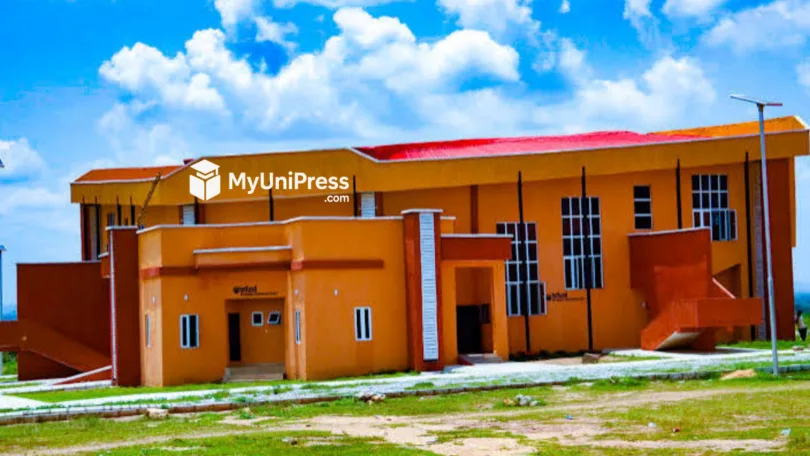
The management of Confluence University of Science and Technology, Osara, has provided updates regarding the CUSTECH Admission List for the 2026/2027 academic session. This document contains the names of UTME and Direct Entry candidates offered provisional admission into various undergraduate programmes.
Prospective students must verify their admission status to proceed with registration, acceptance fee payment, and physical clearance. Information provided in this guide relies on official JAMB directives and recent CUSTECH admission trends.
CUSTECH Admission List 2026/2027 Overview
| Category | Details |
| Institution | Confluence University of Science and Technology (CUSTECH) |
| Academic Session | 2026/2027 |
| Admission Status | Ongoing |
| Portal for Checking | JAMB CAPS and CUSTECH e-portal |
| Requirement | JAMB Registration Number |
| Next Step After Admission | Pay Acceptance Fee and Physical Clearance |
| Official Website | custech.edu.ng |
Understanding the CUSTECH 2026 Admission List
CUSTECH typically releases its admission lists in batches. The first batch contains candidates who met the exact cut-off marks and uploaded all necessary documents during the university screening exercise. The supplementary lists accommodate candidates who applied later or resolved O’Level upload issues.
Candidates should note that securing CUSTECH admission requires meeting the JAMB core requirements for the chosen programme.
How To Check the CUSTECH Admission List on JAMB CAPS 2026/2027
Candidates must primarily use the Joint Admissions and Matriculation Board Central Admission Processing System to confirm their status. The JAMB CAPS portal is the official database for all tertiary admissions in Nigeria.
| Step | Action Required |
| 1. Visit JAMB Portal | Open your browser and go to efacility.jamb.gov.ng. |
| 2. Login Credentials | Input your registered email address and JAMB password to log in. |
| 3. Locate Admission Status | Scroll through the dashboard and click the ‘Check Admission Status’ tab. |
| 4. Select Exam Year | Choose ‘2026’ from the dropdown menu and input your JAMB Registration Number. |
| 5. Access CAPS | Click ‘Access my CAPS’ to view your central admission dashboard. |
| 6. Final Confirmation | Click ‘Admission Status’ to see if you have been offered admission. |
Candidates will see different responses on the portal. “Congratulations” means the candidate has been offered admission. “Admission in Progress” means the university is processing the candidate’s application. “Not Admitted” means the candidate is yet to be considered.
How To Check the CUSTECH Admission List on the School Portal 2026
After checking JAMB CAPS, candidates must also verify their names on the official CUSTECH undergraduate portal. The university uses its e-portal to manage student profiles, school fee payments, and course registrations.
| Step | Action Required |
| 1. Open CUSTECH e-portal | Visit eportal.custech.edu.ng. |
| 2. Find Admission Status | Click the ‘Admission Status’ link on the homepage. |
| 3. Input Registration Number | Enter your JAMB Registration Number or Application Number. |
| 4. Provide Verification Name | Enter one of your registered names containing at least three letters. |
| 5. Check Status | Click the ‘Check Status’ button to reveal your admission outcome. |
The portal will display a congratulatory message if your name is on the CUSTECH Admission List. If your record is not found, you must exercise patience and check back later as the university uploads names in batches.
Next Steps To Take After Seeing Your Name on the CUSTECH Admission List
Securing a spot on the CUSTECH Admission List requires immediate follow-up actions. Admitted candidates must complete specific post-admission activities to secure their slot. Failure to complete these steps within the stipulated deadline often leads to forfeiture of the admission offer.
- Accept the Admission on JAMB CAPS: Candidates must click the ‘ACCEPT’ button on their JAMB CAPS dashboard. Rejecting the offer terminates the admission process immediately.
- Print JAMB Admission Letter: After accepting the offer, candidates must print their official JAMB admission letter. This document is required during physical clearance.
- Print Original JAMB Result Slip: Candidates must print the original JAMB result slip featuring their passport photograph.
- Pay CUSTECH Acceptance Fee: Log into the CUSTECH e-portal to generate a Remita Retrieval Reference. Use this RRR to pay the non-refundable acceptance fee at any commercial bank or online via debit card.
- Complete Physical Clearance: Present your original credentials and payment receipts at the university campus in Osara.
Payment of CUSTECH Acceptance Fee Detailed Guide
For candidates who find their names on the CUSTECH Admission List, the next critical phase involves the payment of the acceptance fee. This fee acts as a formal declaration that you have accepted the provisional admission offer.
| Step | Process |
| Access the Payment Section | Log into your student dashboard on the CUSTECH e-portal. Click on the payment link located on the left side of the dashboard menu. |
| Generate Your RRR | Click the ‘Pay Now’ button to generate your Remita Retrieval Reference number. Note this number down. |
| Launch Remita Payment Gateway | Click the ‘Requery / Pay Now’ button to access the official Remita platform. |
| Complete Payment | Follow the on-screen prompts on the Remita interface. Candidates can use multiple payment methods, including debit cards, USSD codes, or direct bank transfers. |
| Confirm Successful Payment | After the transaction, return to the portal to confirm your payment status. Print your generated receipt and keep it safe for physical clearance. |
Required Documents for CUSTECH Physical Clearance
Newly admitted students must prepare specific documents for the physical verification exercise at the university campus.
- Printed JAMB Admission Letter.
- Original JAMB Result Slip.
- O’Level Result (WAEC, NECO, or NABTEB).
- CUSTECH Post-UTME Screening Printout.
- Local Government Certificate of Origin.
- Birth Certificate or Declaration of Age.
- Evidence of Acceptance Fee Payment (Remita Receipt).
- Recent Passport Photographs.
Common Mistakes to Avoid During CUSTECH Admission Processing
Many candidates lose their admission offers due to preventable errors. Adhering to these guidelines ensures a smooth transition into the university.
- Ignoring JAMB CAPS Status: Some candidates rely entirely on the school portal and ignore JAMB CAPS. Your admission is only fully valid when it reflects on the JAMB portal.
- Late Payment of Fees: Missing the acceptance fee deadline results in automatic forfeiture of your admission slot. Always prioritize this payment.
- Discrepancy in Names: Ensure your names match perfectly across your O’Level result, JAMB profile, and birth certificate. Irregularities will cause significant delays during clearance.
- Using Unofficial Cyber Cafes: Avoid using unregistered cyber cafes for your JAMB CAPS activities. Use only accredited JAMB CBT centres to prevent unauthorized changes to your profile.
- Paying Money to Scammers: CUSTECH processes all payments strictly through the Remita platform via the official e-portal. Do not pay cash to individuals claiming to be admission agents.
Action Plan for Candidates Not Yet Admitted
Not all candidates will find their names on the first batch of the CUSTECH Admission List. The university usually releases multiple batches, including a supplementary list. Candidates in this category should take proactive steps.
- Check Subject Combination: Ensure your O’Level and JAMB core subject requirements match the specifications for your chosen programme.
- Upload O’Level Results: Visit an accredited JAMB CBT centre to confirm your WAEC or NECO results are successfully uploaded to JAMB CAPS.
- Consider a Change of Course: If your UTME score falls below the cut-off mark for your primary course, apply for a change of course to a less competitive department.
- Monitor the Portal Regularly: Check both JAMB CAPS and the CUSTECH e-portal weekly for updates.
Frequently Asked Questions About the CUSTECH Admission List
| Question | Answer |
| 1. Is the CUSTECH Admission List for 2026/2027 out? | The university releases the admission list in batches. Candidates are advised to monitor the CUSTECH e-portal and JAMB CAPS regularly for updates regarding the 2026/2027 session. |
| 2. How many admission batches does CUSTECH release? | Based on previous admission trends, CUSTECH typically releases a first batch, second batch, and a supplementary admission list. |
| 3. Can I get admitted without uploading my O’Level results? | No. CUSTECH strictly adheres to JAMB regulations. You must upload your WAEC, NECO, or NABTEB results to JAMB CAPS to be considered for admission. |
| 4. What should I do if JAMB CAPS says “Admission in Progress”? | This status means you have met the requirements and your admission is undergoing final processing by JAMB. Check back after a few days or weeks. |
| 5. How much is the CUSTECH acceptance fee? | The exact acceptance fee varies per session. Candidates should log into the CUSTECH e-portal to generate an invoice and view the official amount for the 2026/2027 session. |
| 6. Do I need to buy a scratch card to check the CUSTECH Admission List? | No. Checking your admission status on both JAMB CAPS and the CUSTECH e-portal is completely free. You only need your internet data and JAMB Registration Number. |
| 7. My name is on the CUSTECH portal but not on JAMB CAPS. What should I do? | This indicates a delay in JAMB CAPS synchronization. Wait a few days or visit the nearest JAMB office to lay a formal complaint. Do not pay any acceptance fee until your admission reflects on JAMB CAPS. |
| 8. Can I defer my admission at CUSTECH? | Yes, deferment is possible but strict conditions apply. You must first accept the admission, pay the acceptance fee, complete physical clearance, and then write a formal letter to the Registrar requesting deferment. |
| 9. What happens if I miss the deadline for the acceptance fee? | The university interprets failure to pay the acceptance fee within the stipulated timeframe as a rejection of the admission offer. The slot is usually given to another candidate on the supplementary list. |
| 10. Does CUSTECH conduct a physical screening exercise? | Yes. After accepting the admission online, all newly admitted students must present their original documents at the Osara campus for physical verification and clearance before matriculation. |
Conclusion
Securing admission into the Confluence University of Science and Technology requires strict adherence to outlined procedures. Checking the CUSTECH Admission List is just the beginning of the enrollment process. Candidates must proactively monitor JAMB CAPS, accept their offers promptly, and clear all financial and physical screening requirements at the university. Ensure all information matches your official documents to avoid complications during physical clearance. Keep your login details safe and rely strictly on information provided directly on the official CUSTECH portal.





Leave a Comment